Latest Version
Unrud
Design
Linux
Free
com.github.unrud.djpdf
Report a Problem
More About Scans to PDF
Imagine cleaning out a physical filing cabinet only to end up with giant, sluggish image files on your hard drive that you cannot search through. The Scans to PDF document optimizer solves this common administrative headache for Linux users by transforming heavy, static scans into highly efficient, searchable digital assets.
What is the Scans to PDF Document Optimizer?
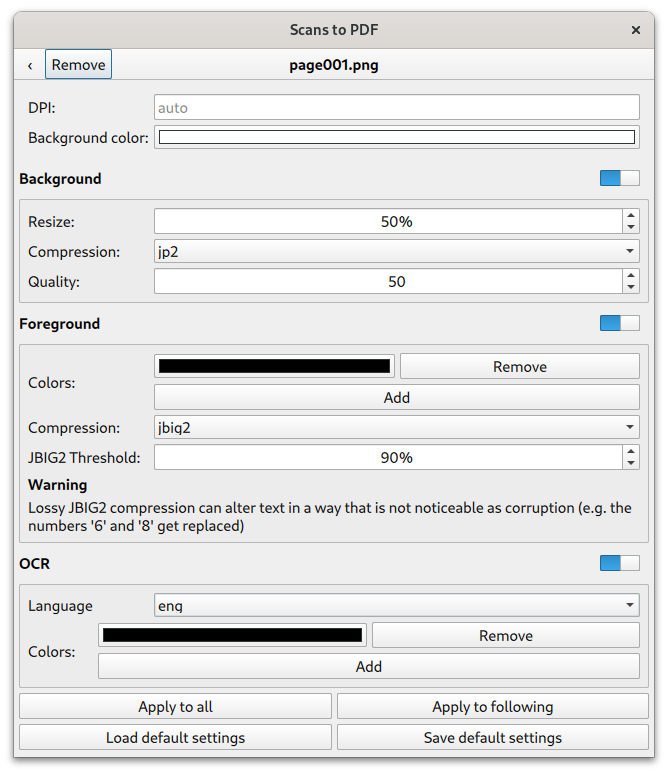
Developed by Unrud, Scans to PDF is a dedicated Linux utility designed to streamline the archiving process. Rather than saving scanned pages as massive, flat images, this application smart-compresses your files. It accomplishes this by separating your documents into two distinct layers: a high-contrast, bitonal foreground layer dedicated to text, and a separate color layer for the background. By compressing these layers independently, it achieves incredibly small file sizes without sacrificing text readability.
Key Features of Scans to PDF
- Advanced Layer Separation: Divides scans into a bitonal text foreground and a colored background to maximize compression efficiency.
- Searchable OCR Integration: Automatically embeds an invisible layer of OCR text, turning static images into fully searchable documents.
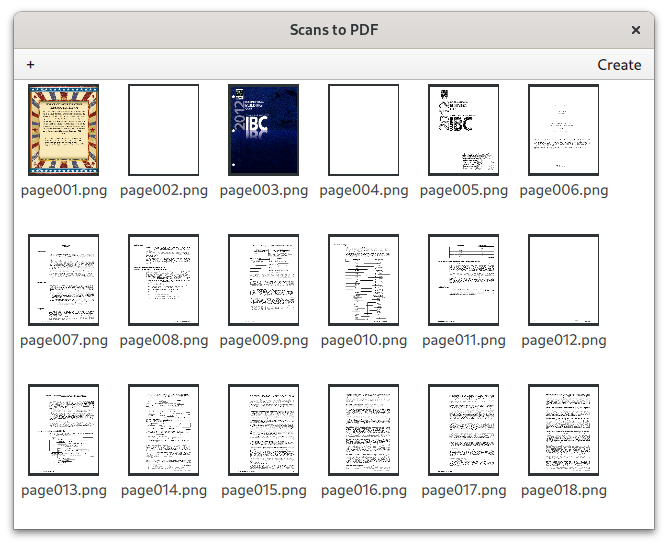
- Flexible User Interfaces: Includes both an intuitive Graphical User Interface (GUI) for desktop ease and a robust command-line interface for scripting and power users.
How to Get the Best Results
To achieve the highest quality output with the Scans to PDF document optimizer, color and grayscale scans generally require some initial prep work. The developer recommends preprocessing your raw images using external tools such as GIMP or Scan Tailor before running them through the compression pipeline. This ensures the text-to-background separation is clean and the OCR layer is highly accurate.
Who is This Tool For?
This utility is an excellent fit for Linux enthusiasts, researchers, and small office administrators who need to digitize large volumes of paperwork. If you want to save storage space while keeping your digital library fully indexed and searchable, this lightweight application is a perfect addition to your productivity toolkit.
Get Started with Scans to PDF
Ready to reclaim your disk space and make your digital archives fully searchable? You can explore the application, view additional details, and find installation instructions by visiting the official page for Scans to PDF on Flathub today.
Rate the App
User Reviews

Popular Apps








Editor's Choice